Adjust brightness, contrast and saturation ++

Adjust image demo

Adjust image demo

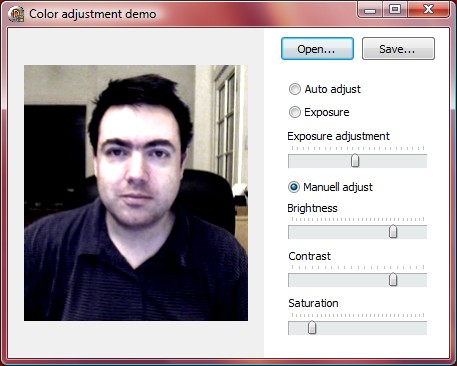
I have just uploaded a small demo of how to adjust brightness, contrast and saturation of an image. There are also two other usefull samples included in the demo. One is the auto adjustment setting (using histogram stretching) the other one is an exposure control, perfect for adjusting (lighten) dark pictures.

Hope you find it usefull and if you have some better ideas why not share em. These routines are based on a combination of my own and others ideas and source code.

Download: Project with Source

Tags: , , , , ,

  • Pani

    Excellent work!

  • rajeshp

    Hi i am using your application for my project and the main requirement of mine is i have a scene of a movie. In that movie frames are with different intensities and showing flickering. I need to solve it. Can u give some solution for it.

  • Javier Santo Domingo

    Not sure if this is the case but may help. If you are trying to do heavy adjustments one after all frame-by-frame, may be you need to modify the algorithm a little by unrolling loops by the major factor you can (by 16 for example, or by 8 at least). Also there are other optimization tips that can help, but that change (loop unrolling) is simple to do and it will have a direct performance impact.

  • http://pulse.yahoo.com/_KNQHTID7DHK4MX3YYSPWMSYEEM OJr

    Hello! You looks very good to work with images. I already tried to understand the essential image processing and I'm thinking to try again. I remember one of algorithms that I wrote on delphi was brightness and I think it worked very well. Now you also have one. But I never understnad the contrast and saturation. I'll try to see your code. I thank ou for the informations here.

  • admin

    Hi OJr,

    Take a look at this site, it might give you some ideas and help you understand how it can be done.

    http://www.graficaobscura.com/interp/index.html


    Roy

  • JWA

    At last, Some code I can understand.

    Thanks!!

blog comments powered by Disqus